
How to Integrate MT4 to Telegram Forex Signals: Avoid Slippage
Newbie in copy trading with Telegram Signal Copier? Don’t know how to integrate MT4? Then you are in the right place! BY integrating MT4 with Telegram, you can automate Telegram signals to MT4 without manual inputs. Sounds amazing, right?
However, it’s impractical to stay glued to a computer screen 24/7. That’s why it’s crucial to have real-time transmission of trading signals from Telegram to MetaTrader 4 (MT4).
Today, you will learn how you can integrate MT4 with Telegram Forex Signals to boost your trading performance.

What are Telegram Forex Signals?
Telegram Forex signals are real-time buying or selling trade orders delivered on Telegram. Telegram has become a go-to platform for forex traders who are looking for quick and reliable trading signals.
Forex signal providers use Telegram to send out trade recommendations, market analyses, and alerts. These signals typically include vital information such as entry and exit points, stop-loss levels, and take-profit targets.
The key advantages of using Telegram for forex signals are:
- It has instant messaging capabilities.
- Ease of access.
- The ability to join various forex channels for diverse insights and signals.
What is MetaTrader 4 (MT4)?
MetaTrader 4 (MT4) is a renowned trading platform developed by MetaQuotes in 2005. MT4 is popular among forex traders due to its amazing charting tools, automated trading capabilities, and technical indicators.
This platform is primarily designed for online foreign exchange (Forex) trading. It helps traders execute trades in real time and manage positions, even with mobile trading notifications.
Additionally, MT4 supports automated trading that allows traders to trade based on predefined trading strategies. Overall, it provides a secure environment to enhance trading efficiency and performance for Forex Trading.
Steps to Integrate MT4 with Telegram Forex Signals
Integrating MT4 to trade Telegram Forex signals typically involves using an MT4 copier EA( Expert Advisor) that can copy signals from Telegram and execute trades automatically on a MetaTrader 4 account. Here’s a step-by-step guide:
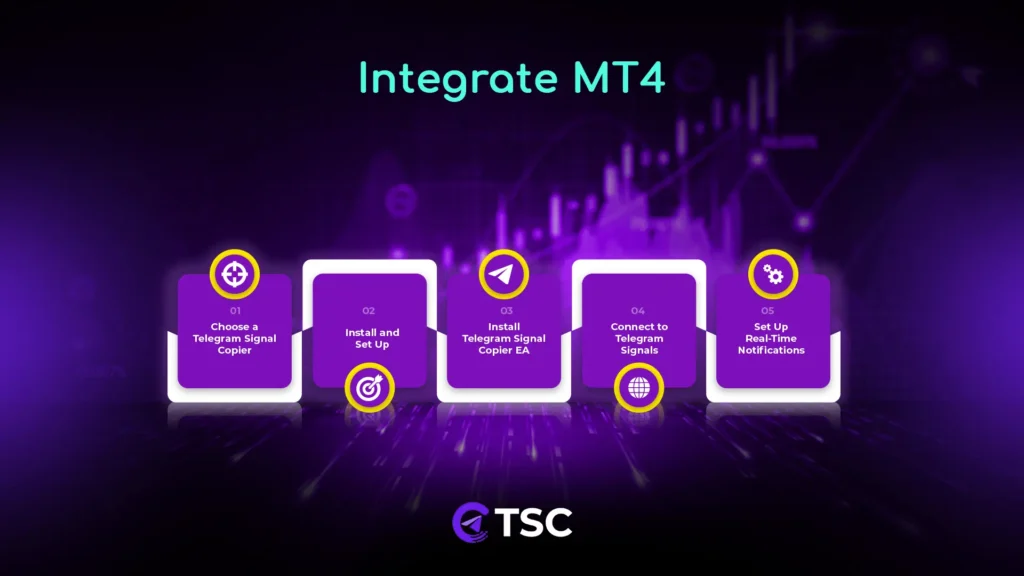
Step 1: Choose a Telegram Signal Copier
The first step is selecting a reliable Telegram signal copier that can automatically copy signals from Telegram channels/groups where signals are provided and then place trades on MT4.
It’s best to choose a Forex signal copier with a solid track record and consistent signals like the TSC. Get your preferred subscription plan for the TSC MT4 trade copier tool.
Step 2: Install and Set Up the Telegram Signal Copier
- Once you’ve chosen a reliable signal copier, download it from your profile dashboard on the TSC website. Then, install the Telegram Signal Copier.
- After installation, the app will open up. Then, input the trading account number, and if purchased successfully, it will show as a licensed copier app.
- Now, you have to log in with your Telegram number here to connect your Telegram channels. Input your Telegram phone number and click “connect.” After that, you will get a login code on your Telegram app. So, open the Telegram App and copy the code. Then, enter that code into your TSC app and hit submit.
- If you have two-factor authentication, you need to enter your two-factor PIN to log in. After that, you will be automatically logged into the TSC app. And all of your Telegram channels and groups will be displayed.
Step 3: Install Telegram Signal Copier EA
- After installing and setting up the TSC app, you must install your TSC EA (Expert Advisor) for MetaTrader 4.
- For this, open your MT4 platform and right-click on “Expert Advisor” and refresh.
- Next, go to “tools” > scroll down to select “options” and disable options that should be unchecked.
- Then, you have to add the URL of the “Telegram Signal Copier app” link and hit “OK.” Now, double-click on the TSC EA file to install the EA for MT4 or drag and drop the TSC EA file on your MT4 trading platform.
Step 4: Connect to Telegram Signals Providers
Once you have finished downloading and installing, go to the TSC app and select the Telegram channels or groups that provide Forex trade signals to copy signals. Configure the keywords and other settings for the Telegram groups inside the TSC copier app.
Step 5: Start Copy Trading with Real-Time Notifications
Now, start automated copy trading from Telegram to MT4. To ensure you receive their signals instantly, install MT4 on your mobile and enable notifications to get updated of your Telegram to MT4 trades.
Benefits of Using MT4 with Telegram Signal Copier:
Integrating MT4 to Telegram signal provider offers hands-free, manual error-free trading in real-time. Here are all the key benefits-
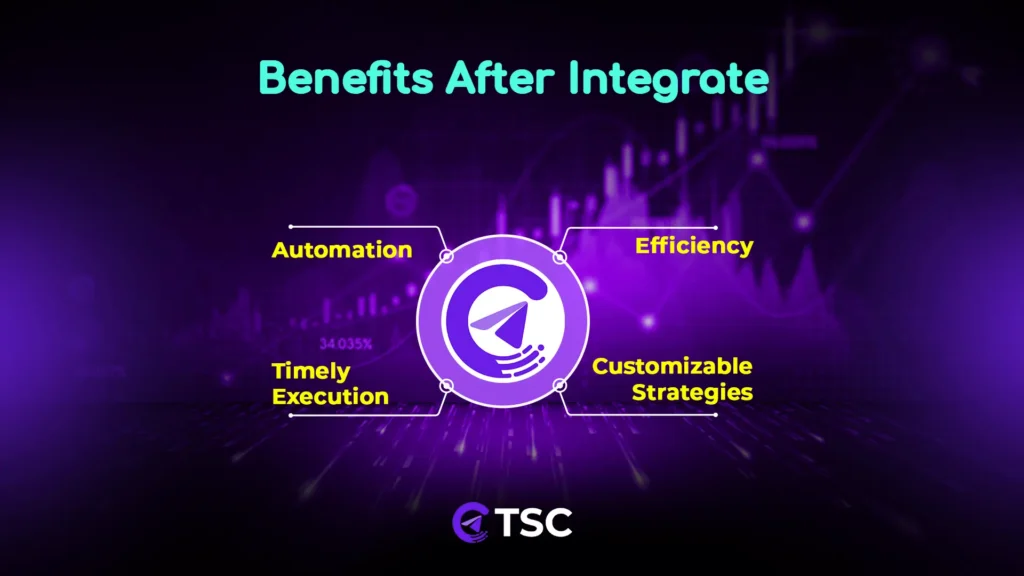
- Automation: Trade without constant manual input.
- Instant Execution: Quick response to market changes.
- Access to Diverse Signals: Copying signals from multiple Telegram channels and groups.
- Customizable Strategies: Advanced risk settings powered by LLM technologies.
- Efficiency: Streamline your trading process with accurate execution.
- Emotion-Free Trading:No emotional decision in trade execution.
Conclusion:
Whether you’re new to trading or a seasoned professional, MT4/MT5 software integration with Telegram Forex signals is a game-changer. By automating the Forex signal and trade execution process, you can stay ahead in the fast-paced Forex market without being tied to your screen.
Start leveraging this Telegram to MT4 copier integration today and take your Forex trading to the next level with confidence! Contact us to learn more about automating Telegram signals using the MT4 copier free of cost.
FAQs

MetaTrader 4 integration is a process of connecting the MetaTrader 4 trading platform to automate the Forex signal from a Telegram signal provider channel.
Telegram Signal Copier (TSC) is software that helps traders copy trading signals from Telegram channels and automatically executes trades on their MT4 accounts.
To get automated Forex signals on the MT4 platform, you should integrate MT4 with Telegram signals.
Yes, it is safe as long as you use reputable signal providers and ensure your MT4 and Telegram accounts are secure.
If you lose your internet connection, the automated trading process may be interrupted.
Yes, you can use multiple Telegram channels to integrate signals.
To receive real-time notifications, enable notifications in the Telegram app and ensure you are subscribed to the relevant signal channels.

2 Comments